How to?
-
If unchecked, why is it there?Originally posted by feelingblue:oic what you mean.
but 'my computer' is already unchecked leh.
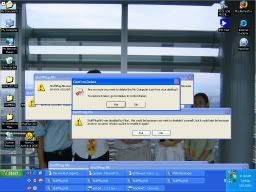
Got screenshots of your desktop?
Press Prt Sc or Print Screen and Ctrl + V into Paint. Upload into an image hosting server and put here. -
I have this feeling one of the upcoming solution to this saga from one of the mods is to reformat your comp.

-
Originally posted by ndmmxiaomayi:If unchecked, why is it there?
Got screenshots of your desktop?
Press Prt Sc or Print Screen and Ctrl + V into Paint. Upload into an image hosting server and put here.
-
And that's what I did before it crashed.Originally posted by ditzy:A raise of hands here who feels their faith is slowly ebbing away after reading the quote above. -
Sh|t! There goes my last bit of faith. Arrrrrrrhhhhhhh!!!Originally posted by ndmmxiaomayi:And that's what I did before it crashed. -
Don't have My Computer icon leh.Originally posted by feelingblue: -
Deh, its the one with the "!"Originally posted by ndmmxiaomayi:Don't have My Computer icon leh. -
The 'i' which says 'my computer' loh.Originally posted by ndmmxiaomayi:Don't have My Computer icon leh. -
Is there a need to reformat?Originally posted by ditzy:I have this feeling one of the upcoming solution to this saga from one of the mods is to reformat your comp. -
used to it lah...Originally posted by ditzy:But if evaluate the processes involved:
Your method:
-Have one redundant small icon that clutters your task bar
-Move pointer to that particular spot at task bar
-Aim and double click on a small icon
My method:
-Have no small icon, thus not cluttering my task bar, no quick launch means one less thing to load at startup
-Move pointer anywhere along task bar
-Right click and select "Minimize all windows" -
easy way outOriginally posted by ndmmxiaomayi:Is there a need to reformat?
hehe -
*faint*Originally posted by feelingblue:The 'i' which says 'my computer' loh.
Ok, I never see it.
Since it's a shortcut, just delete it. -
We all hope not, but from the your replies in the other threads, it always leads to this.Originally posted by ndmmxiaomayi:Is there a need to reformat? -
MOVE MOVE>>DONT CROwd AROUND AH YI>>Originally posted by ndmmxiaomayi:*faint*
Ok, I never see it.
Since it's a shortcut, just delete it.
she need fresh air..
* perform CPR..
-
Just to remove the My Computer icon and ask him/her to reformat, really jialat. Need to quit as moderator and ask ditzy take over.Originally posted by contact:easy way out
hehe
-
can delete la..
ai yo yo.. -
Mine is more registry edit and if fails, kill the computer.Originally posted by ditzy:We all hope not, but from the your replies in the other threads, it always leads to this. -
really? will not crash hoh?Originally posted by ndmmxiaomayi:*faint*
Ok, I never see it.
Since it's a shortcut, just delete it.
so right click on it and delete?
btw how u see if it is a shortcut?
so i can do the same for my msn icon, right click and delete? -
CANNOT!!! WAIT THE COMP CRASH!!!! REFORMAT SAFER.Originally posted by contact:
can delete la..
ai yo yo.. -
lol!...CAN! CAN! CAN!Originally posted by ditzy:CANNOT!!! WAIT THE COMP CRASH!!!! REFORMAT SAFER.
maybe my pc something wrong la!
no HARM in deleting my computer(icon) not the programme la..
just do go uninstall la..
next time anyone post here..just ask them to reformat..
no need talk so long..
haha -
Notice a small arrow under the icons? It means these are shortcuts. They can be deleted safely. If the MSN has this small arrow, you can delete it.Originally posted by feelingblue:really? will not crash hoh?
so right click on it and delete?
btw how u see if it is a shortcut?
so i can do the same for my msn icon, right click and delete? -
No flaming here. Reply edited.Originally posted by feelingblue:really? will not crash hoh?
so right click on it and delete?
btw how u see if it is a shortcut?
so i can do the same for my msn icon, right click and delete? -
I may have lost faith, but I'm happy there are many more waiting to be drained.Originally posted by contact:lol!...CAN! CAN! CAN!
maybe my pc something wrong la!
no HARM in deleting my computer(icon) not the programme la..
just do go uninstall la..
next time anyone post here..just ask them to reformat..
no need talk so long..
haha Keep it up guys! -
-
ic, thanks mayi.Originally posted by ndmmxiaomayi:Notice a small arrow under the icons? It means these are shortcuts. They can be deleted safely. If the MSN has this small arrow, you can delete it.