need help
-
seems like i have been infected with an adware or a virus..
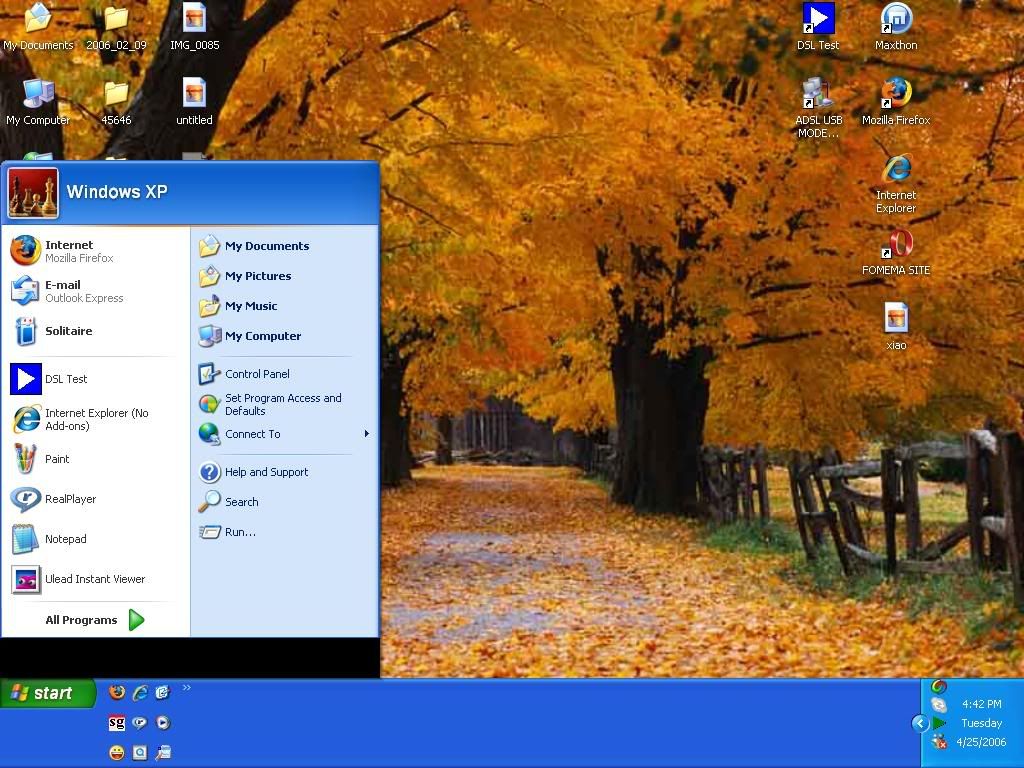
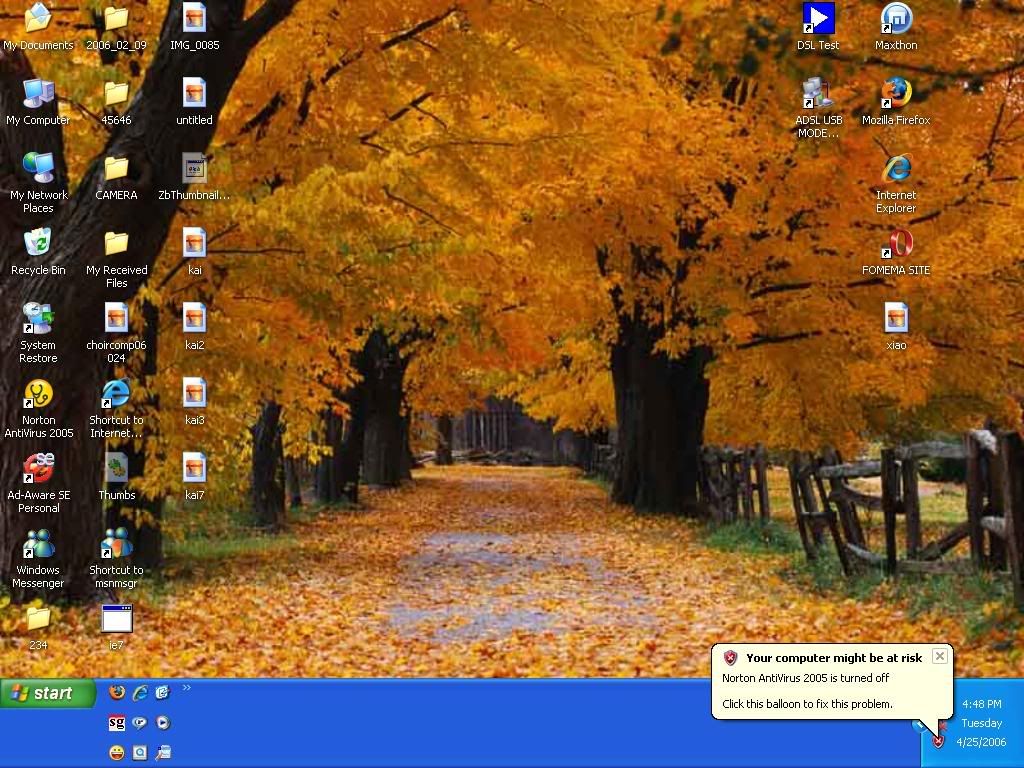
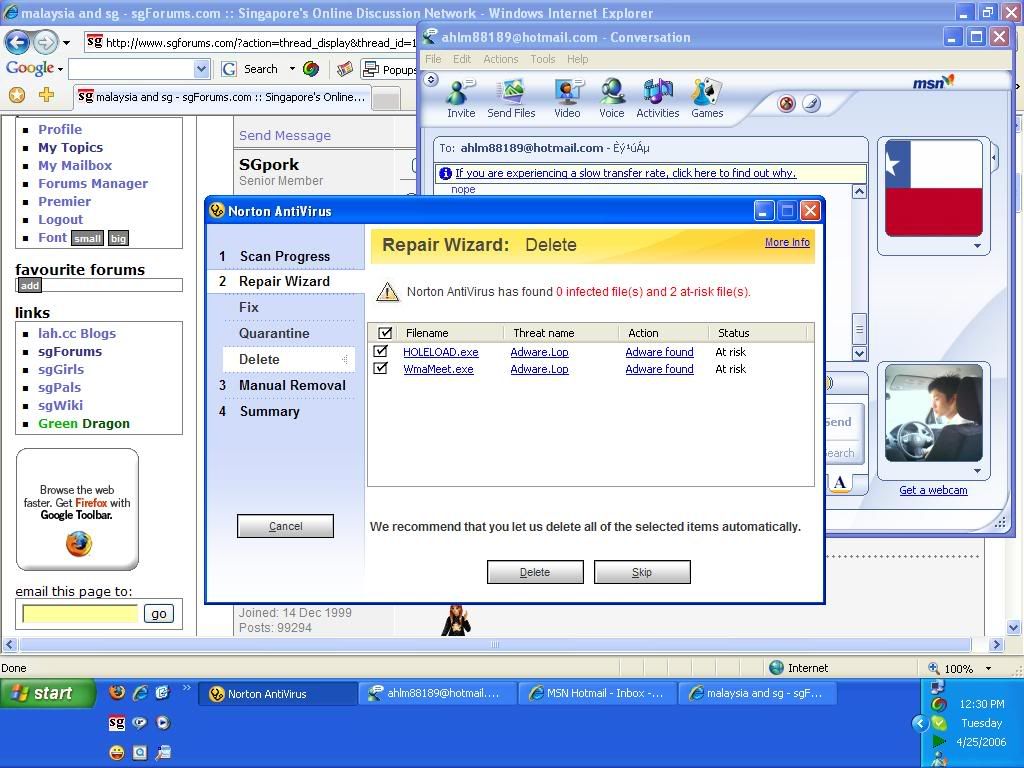
these are 3 of the screeen shot i have taken..
can you verify me on this?..
i have downloaded http://www.bullguard.com/ ...it's an antivirus software too.. after that my pc performance seriously lagged and the error above happens..
i have uninstalled it but the problem still persists..
and can i ask another thing...if i have norton antivirus..do i still need to have additional virus protection such as spyboy S&D or anti-adware?
thanks.. -
Don't get additional antivirus.
You can get anti-spywares though. -
 First picture
If you are using Windows XP Professional, try this.
1) Go to Start, Run and type in gpedit.msc
2) Navigate to the following path:
User Configuration\Administrative Templates\Start Menu and Taskbar
3) Double-click "Remove and Prevent Access to the Shut Down command"
Select "Not configured" or "Disabled"
4) Close Group Policy window.
 Second picture
After asking you, I suspect that the Windows Security Center at the taskbar might be a fake. As you have updated Windows, you could be one of the first to get exploit by hackers. You probably have downloaded the wrong thing. Third picture
Adware.lop is a very nasty adware. You have to find the root cause and remove it. Simply removing the entries in the registry doesn't help. That will probably take an expert to find out. -
I'm not too sure with virus, i never get them with my Mac
But if you think the file is not totally gone after uninstall, try going to Program Files and remove the who file for that software you installed
Also, Norton Antivirus is TOTALLY useless if you do not update your antivirus signatures often. If it is outdated, it cannot detect any new virus on the net.
Btw, best is try to avoid any antivirus downloads from the net as far as possible. They are usually programmed by not-to-qualified programmers and even if they are not virus themselves, they can still easily screw up your computer -
I just like to say I got used that wallpaper also.

-
guess he didn't make it...

-
Maybe you can try doing this online virus and spyware scan & removal? It's free.
http://housecall65.trendmicro.com/
http://www.trendmicro.com/spyware-scan/free_spyware_scan.asp
Try uninstalling any suspicious programs in your Program Files or Add/Remove Programs section. And also 'kill' or End Task on any suspicious programs in your Task Manager. Alt-Ctrl-Del to see. You can do these in Safe Mode to be more thorough, because if done in normal Windows mode, sometimes may still persist after a restart. Removing whilst in Safe Mode tends to be more clean.
Do you have any firewall? it may be good to download one to block out any further problems while you are targetting your current ones. Can get ZoneAlarm or Kerio. I am using Kerio.
You may also wish to install these antispyware programs - Lavasoft Ad-Aware and Spybot - Search & Destroy. These 2 programs may also come in handy - SpywareBlaster and SpywareGuard. SpywareBlaster prevents the execution of spyware stuffs in your registry while SpywareGuard gives real-time protection.
To clean up your cache and history stuffs, try CCleaner. And for antivirus, you can use AVG. But try Trendmicro's online scan first, before installing all these.