Help - Need answers
-
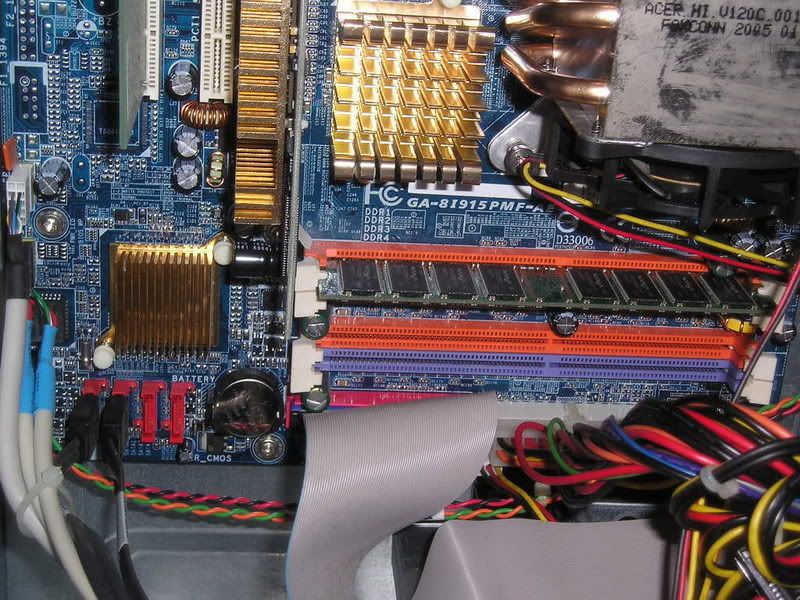
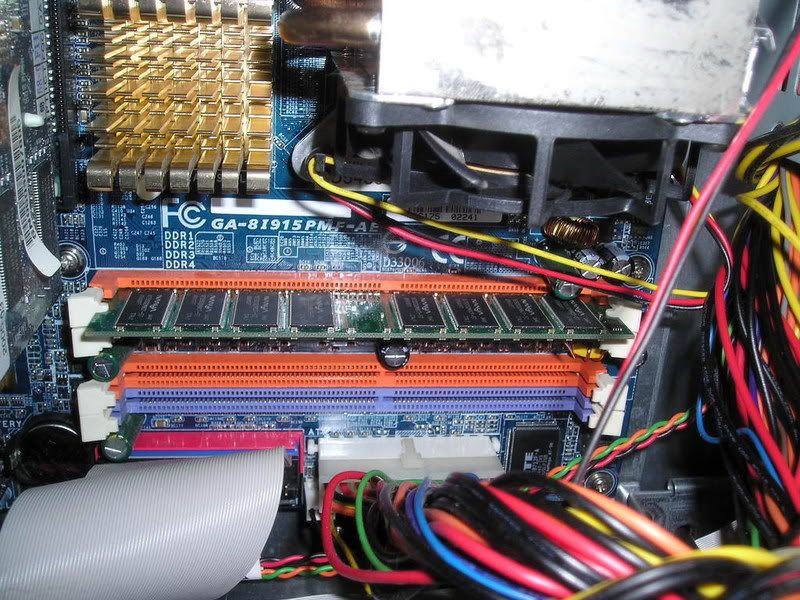
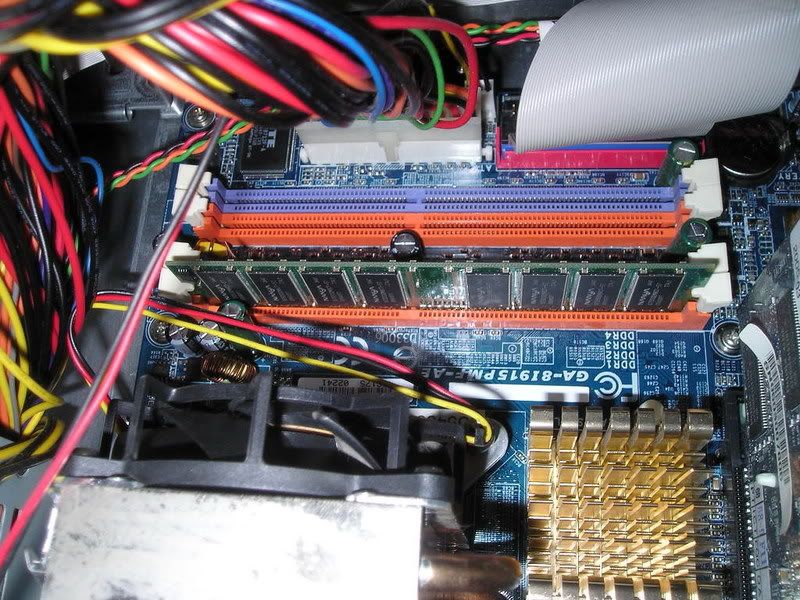
Hi, my first problem is the memory or ram. Does anyone know why got two different colours? purple & orange?
If i want to upgrade the ram, what should i buy, any DDR ram can? or must be the same as the present one? (Brand & speed)
Lastly, which slot should i put it into? The purple or orange? and must i do any other things?
I got some other questions too on HD & Graphic card, maybe the kind people here can help me...
Thanks..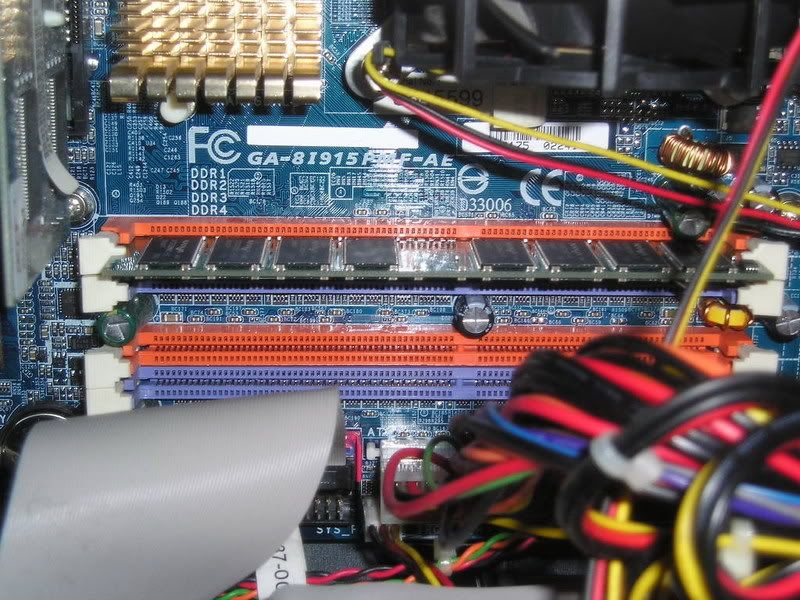
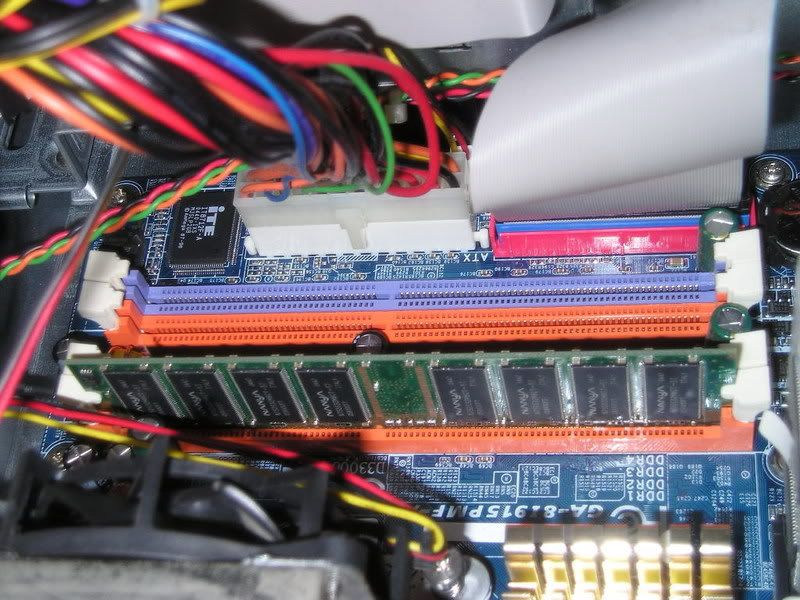
-
What's your motherboard model?
Check your receipt or the manual that comes with it. -
Another thing is if i have an existing HD but its IDE can i still add it onto here? and how do i put the pin, if the present one is master which pin to cover for slave?
The second picture show the plug to the HD. (bottem right side) only one is using the other is empty.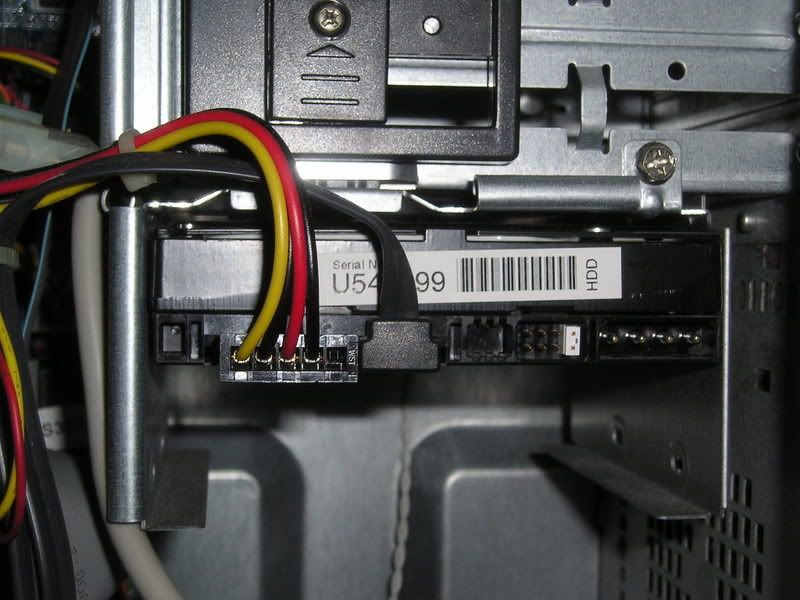
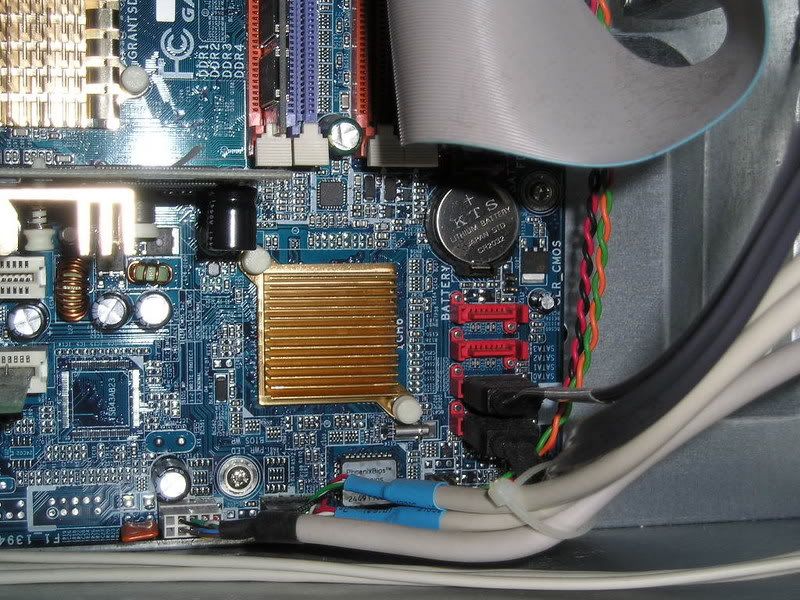
-
Acer PC ar?
If warranty expires, take out the hard disk. There's a sticker which teaches you how to change it to slave drive.
If it has not, you better not do anything to it. Spoil the PC while doing something to it will void your warranty. -
Lastly, the graphic card. base on the picture do i still need to add another fan for it cos the present one got no fan, i see many people's GC has fan on it... will it get spoilt faster w/o a fan? The internal only got 1 fan for the processor i think.
Thanks.
-
Don't need to know your motherboard model already. Saw it in the pictures.
It's a Gigabyte 8I915P-MF mainboard.
RAM: A maximum of 4GB is supported.
Type of RAM: DDR 333/DDR 400
When buying, tell the salesman you want either DDR 333 RAM or DDR 400 RAM.
It can be of any brand, but it has to be either DDR 333 or DDR 400. -
If I am not wrong hor, Acer PC, you cannot take out the casing, because taking out already void the warranty stickie.Originally posted by ndmmxiaomayi:Acer PC ar?
If warranty expires, take out the hard disk. There's a sticker which teaches you how to change it to slave drive.
If it has not, you better not do anything to it. Spoil the PC while doing something to it will void your warranty. -
no i want to add another and not change it to slave.Originally posted by ndmmxiaomayi:Acer PC ar?
If warranty expires, take out the hard disk. There's a sticker which teaches you how to change it to slave drive.
If it has not, you better not do anything to it. Spoil the PC while doing something to it will void your warranty.
and on the ram, do i need to follow the current one's ? it 512 but don't know 333 or 400, where do you see to check? -
If you overclock, it will spoil the graphics card fast. Most likely, you will see it burn and smoke will be coming out of your PC.Originally posted by nikoz:Lastly, the graphic card. base on the picture do i still need to add another fan for it cos the present one got no fan, i see many people's GC has fan on it... will it get spoilt faster w/o a fan? The internal only got 1 fan for the processor i think.
Thanks.
You can't add on a fan straight to the graphic card. You have to get another card if you want the fan to be on it.
But I don't think yours support it... because your motherboard don't have AGP slots...
As far as I know, AGP graphics card have fan(s) built on the card.
That's an AGP graphics card. -
Oh...Originally posted by nikoz:no i want to add another and not change it to slave.
and on the ram, do i need to follow the current one's ? it 512 but don't know 333 or 400, where do you see to check?
Just buy another hard disk and set the new hard disk to slave.
Don't need to follow the current one. Just tell the sales person you want a DDR 333 or DDR 400 RAM.
As for how to tell, use CPU-Z.
Download and extract it.
Double click on cpu-z.exe to run it. It will scan for a while, once it's done, click on the Memory tab. It will show what type of RAM your PC is running. You will then be able to tell the sales person what type of RAM you want. -
Hmm... thread starter already take out liao...Originally posted by Y_Shun:If I am not wrong hor, Acer PC, you cannot take out the casing, because taking out already void the warranty stickie.
-
I think my graphic card is on a AGP (black) slot not on a PCI (white). I don't even know how to overclock. Can remove the 56k modem and put in its place a fan? How much a fan cost any idea?Originally posted by ndmmxiaomayi:If you overclock, it will spoil the graphics card fast. Most likely, you will see it burn and smoke will be coming out of your PC.
You can't add on a fan straight to the graphic card. You have to get another card if you want the fan to be on it.
But I don't think yours support it... because your motherboard don't have AGP slots...
As far as I know, AGP graphics card have fan(s) built on the card.
That's an AGP graphics card.
Anyway, is that a AGP slot?
thanks man.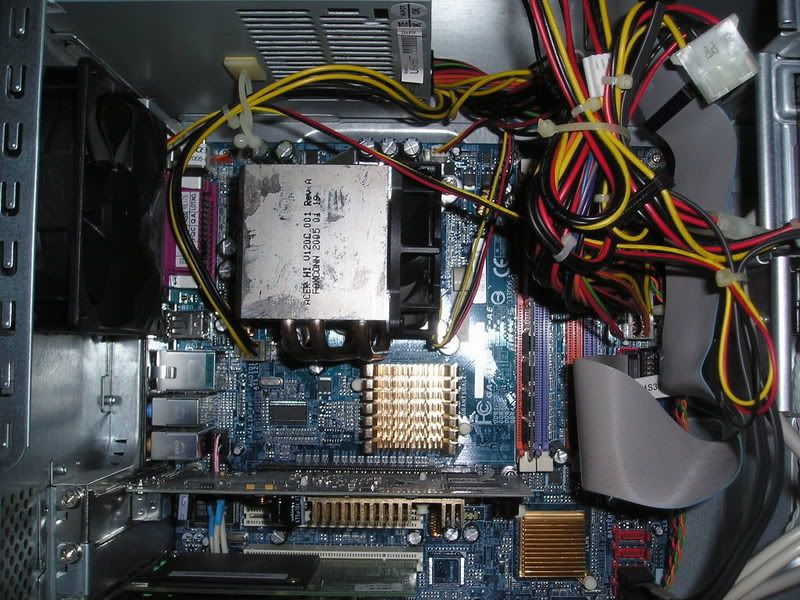
-
I can't tell from the picture.Originally posted by nikoz:I think my graphic card is on a AGP (black) slot not on a PCI (white). I don't even know how to overclock. Can remove the 56k modem and put in its place a fan? How much a fan cost any idea?
Anyway, is that a AGP slot?
thanks man.
You have to check it yourself. The brown one is an AGP slot.
Here is Gigabyte mainboard, showing no AGP slots. The black one should be a PCI Express X16 slot.
-
Your GC not power enough to warrant the need for a fan.

-
oh...Originally posted by ndmmxiaomayi:I can't tell from the picture.
You have to check it yourself. The brown one is an AGP slot.
Here is Gigabyte mainboard, showing no AGP slots. The black one should be a PCI Express X16 slot. i never came across a PCI Express X16 before.
 -
So if i were to get another ddr ram, do i put it in the purple or orange?Originally posted by ndmmxiaomayi:Don't need to know your motherboard model already. Saw it in the pictures.
It's a Gigabyte 8I915P-MF mainboard.
RAM: A maximum of 4GB is supported.
Type of RAM: DDR 333/DDR 400
When buying, tell the salesman you want either DDR 333 RAM or DDR 400 RAM.
It can be of any brand, but it has to be either DDR 333 or DDR 400.
thanks. -
Side question, anyone know what kind of ram is this?
512MB PC2 100 DDR SDRAM.
is this a Sdram or a Ddr? for a Hp pavilion pc.
Thanks.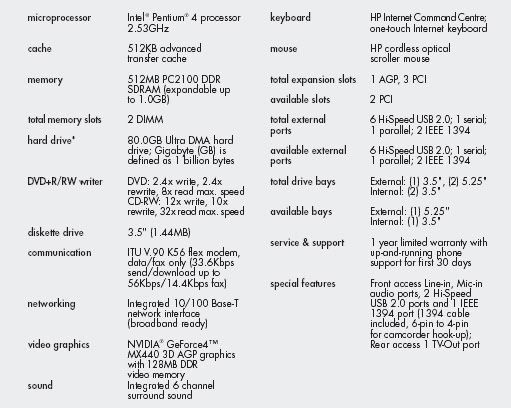
Can i use a PC 2100 512mb DDR 266 Desktop/PC Ram ? Thank you.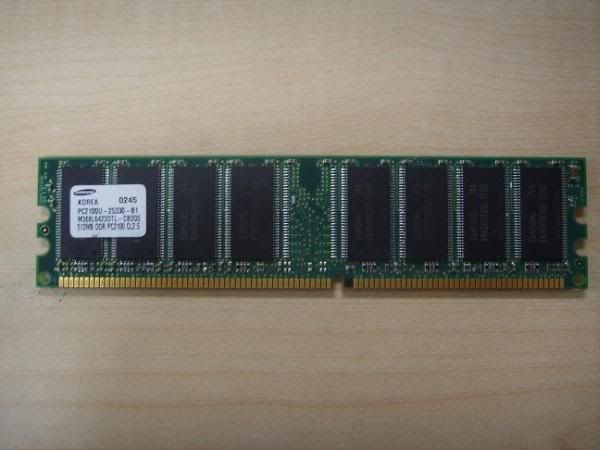
-
Any slot will do.Originally posted by nikoz:So if i were to get another ddr ram, do i put it in the purple or orange?
thanks. -
Basically, it's a DDR RAM.Originally posted by nikoz:Side question, anyone know what kind of ram is this?
512MB PC2 100 DDR SDRAM.
is this a Sdram or a Ddr? for a Hp pavilion pc.
Thanks.
Can i use a PC 2100 512mb DDR 266 Desktop/PC Ram ? Thank you.
In theory, you can use.
In reality, I don't think so.
http://en.wikipedia.org/wiki/DDR_SDRAM -
Originally posted by ndmmxiaomayi:Basically, it's a DDR RAM.
In theory, you can use.
In reality, I don't think so.
http://en.wikipedia.org/wiki/DDR_SDRAM ok ... thanks ndmmxiaomayi. -
to submarize:
Solving your ram prob
your mobo is the gigabyte GA-8I915P-MF with specs here
http://www.gigabyte.com.tw/Products/Motherboard/Products_Spec.aspx?ClassValue=Motherboard&ProductID=1800&ProductName=GA-8I915P-MF
it only accepts ddr333/400 ram as highlight by NDMLittleant
some knowledge about ram types to speeds
ddr266-PC2100
ddr333-PC2700
ddr400-PC3200
the piece of PC2100 ram shown by TS's photo cannot be used by this gigabyte mobo GA-8I915P-MF!
now to check the existing ram type the TS's using he can do it with cpuZ or simply remove the ram and look at the sticker label. check for any numbering or markings like PCXXXX. that should be referenced to the above ddrXXX speeds i indicated. if TS has the answer (e.g PC3200) then he can go over to the shop and ask for ddr PCXXXX (e.g PC3200) ram module. also since TS must be an axtreme noob to upgrading and building a computer i will not confuse him by tellin him the basics.
simply put, if you have the ddr 512mb ram and intend to add another 512mb to your system, you can put the 2 similar modules on either the purpple or the orange slots for dual ch ddr (max throughput lah explaining will be troublesome). otherwise you can also put the 2 identical modules side by side in the different color coded slots no prob.
if the TS just want to add another 1 gig or 256mb ram, he has to put it on a different color slot. that is, existing ram in purple slot, new ram module must be in orange slot, no matter if its a 1 gig or 256mb.
solving your graphics card fan problem
if the card comes without the fan most prob the manufacturer do not anticipate prob for its operation without active cooling so there is no need for you to worry. however if your gf card has a fan and its not working, try removing it from the heatsink (the metal piece of block over the chip underneath). you can buy a cooling fan assembly mounted on PCI slot bracket like this one here
http://www.ocmodshop.com/ocmodshop.aspx?a=746
it should be installed on the PCI slot directly below the graphics card or AGP port that houses your graphics card.
solving your hdd problem
the existing hdd you have are all sata ones as shown in the photos so no prob. however u requested to add another PATA drive to your system. for this GA-8IP915P-MF board, there is only 1 IDE slot. most probably its been taken up by an optical drive. if you have 2 optical drives installed please let us know coz the solution will take longer to explain but right now we are assuming you have only one optical drive (i.e dvd/cd rom/ writer). if you optical drive is set to master, your new PATA hdd must be slave, and vice versa.
okay now to the booting sequence. are you running the system from an OS installed on your SATA hdd? if so at the BIOS set the booting sequence to boot from your sata hdd # as shown in your mobo's user manual. if you are booting from your PATA drive set the sequence accordingly.
normally you can set sequence like example;
1st boot device - rom
2nd boot device - floppy
3rd boot device - the designated drive, PATA or SATA with the operating system, your choice
with such the remainding drive will appear as another drive letter other than 'C' and the data within can still be access at 'my computer' even if its has another operating system of its own. there will not be any conflict, there should not be any.
hope the above helps
-
No, this ram i am referring to another pc, an older HP pc. Can i upgrade it using a PC 2100 512mb DDR 266 for this
HP motherboard
Or what should i ask the salesman if i want to get rams that can be use with this motherboard?
Thank you. -
sure can for the HP mobo but not the gigabyte 1.Originally posted by nikoz:No, this ram i am referring to another pc, an older HP pc. Can i upgrade it using a PC 2100 512mb DDR 266 for this
HP motherboard
Or what should i ask the salesman if i want to get rams that can be use with this motherboard?
Thank you.
no need to buy new ram.
but note 1 gig is the max for your hp pc so you have to check your existing ram capacity and add it to the capacity of your existing one which u intend to use on the HP mobo. -
Currently 512, 2 x 256 in 2 slots. Motherboard only got 2 slots both used.Originally posted by pipipopo:sure can for the HP mobo but not the gigabyte 1.
no need to buy new ram.
but note 1 gig is the max for your hp pc so you have to check your existing ram capacity and add it to the capacity of your existing one which u intend to use on the HP mobo.
Can use one 256, one 512 or must both be the same?
Thanks. -
one 512 one 256 no prob. you will have to remove one 256 ram from one of your ram slots.Originally posted by nikoz:Currently 512, 2 x 256 in 2 slots. Motherboard only got 2 slots both used.
Can use one 256, one 512 or must both be the same?
Thanks.